macOS App
Your CLI tools, beautifully wrapped
Define any command-line tool as a simple JSON file. ShareToolbox gives it a native macOS interface with auto-generated forms, streaming output, and secure secret storage.
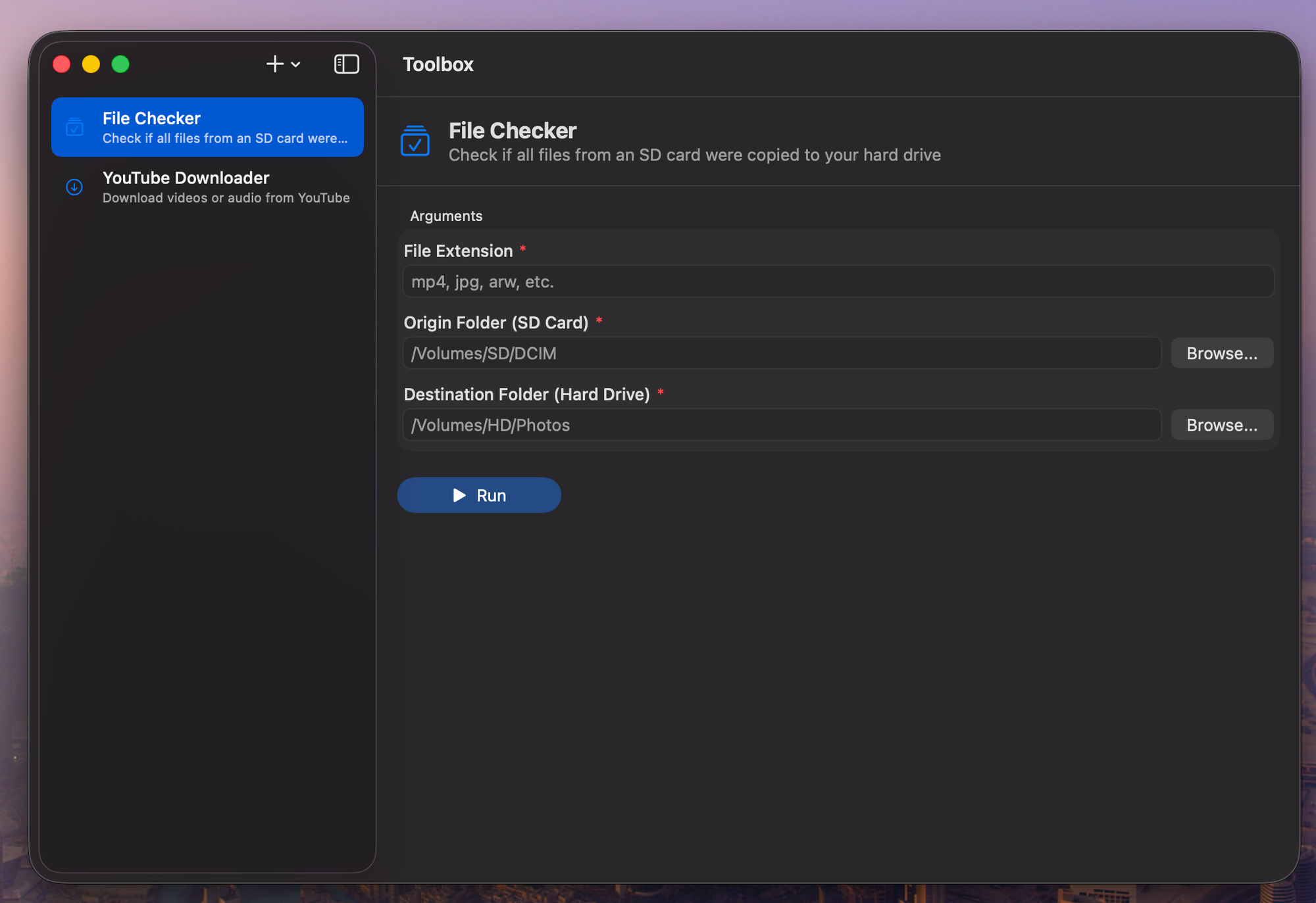
Define any command-line tool as a simple JSON file. ShareToolbox gives it a native macOS interface with auto-generated forms, streaming output, and secure secret storage.
From JSON config to polished GUI in seconds. No code required.
Define any CLI tool as a simple JSON file. Declare arguments, flags, environment variables, and the app renders a complete form automatically.
Drop a JSON config into the tools folder and the sidebar updates instantly. No restart needed — filesystem watching handles everything.
Text fields, file pickers, folder pickers, toggles — each argument type gets the right control. Required fields are validated before running.
See stdout and stderr in real time with color-coded styling. Monospaced font, exit codes, and a clear button to reset between runs.
Proper flag-before-arguments ordering, tilde expansion for paths, and automatic Homebrew PATH augmentation so your tools just work.
Manage all stored API keys and secrets in one place via the standard macOS Settings window. Edit, delete, or check status at a glance.
API keys and secrets are stored in the macOS Keychain, never in plain text. Automatic injection into tool processes at runtime.
Describe what you want in plain English, point to a folder, or paste a GitHub URL — AI generates the tool config for you.
Describe what you need, AI handles the rest.
Tell the AI what you want in plain English. "A tool that resizes images with ImageMagick."
Claude generates the config, picks the right arguments and types, and saves it automatically.
Your tool appears in the sidebar instantly. Fill in the form and hit Run.
Three ways to add tools, all powered by Claude AI.
Describe what you want in plain English. "Create a tool that resizes images using ImageMagick" — and get a working config instantly.
Point to a folder containing scripts. AI analyzes the executables and generates configs with the right arguments and types automatically.
Paste a GitHub repo URL. ShareToolbox clones it, analyzes the code, and creates a tool config that points to the right entry point.
ShareToolbox uses the macOS Keychain to store API keys and sensitive values. Nothing is ever written to plain text config files.
Download ShareToolbox and turn any command-line tool into a native macOS app in seconds.
Download for Mac